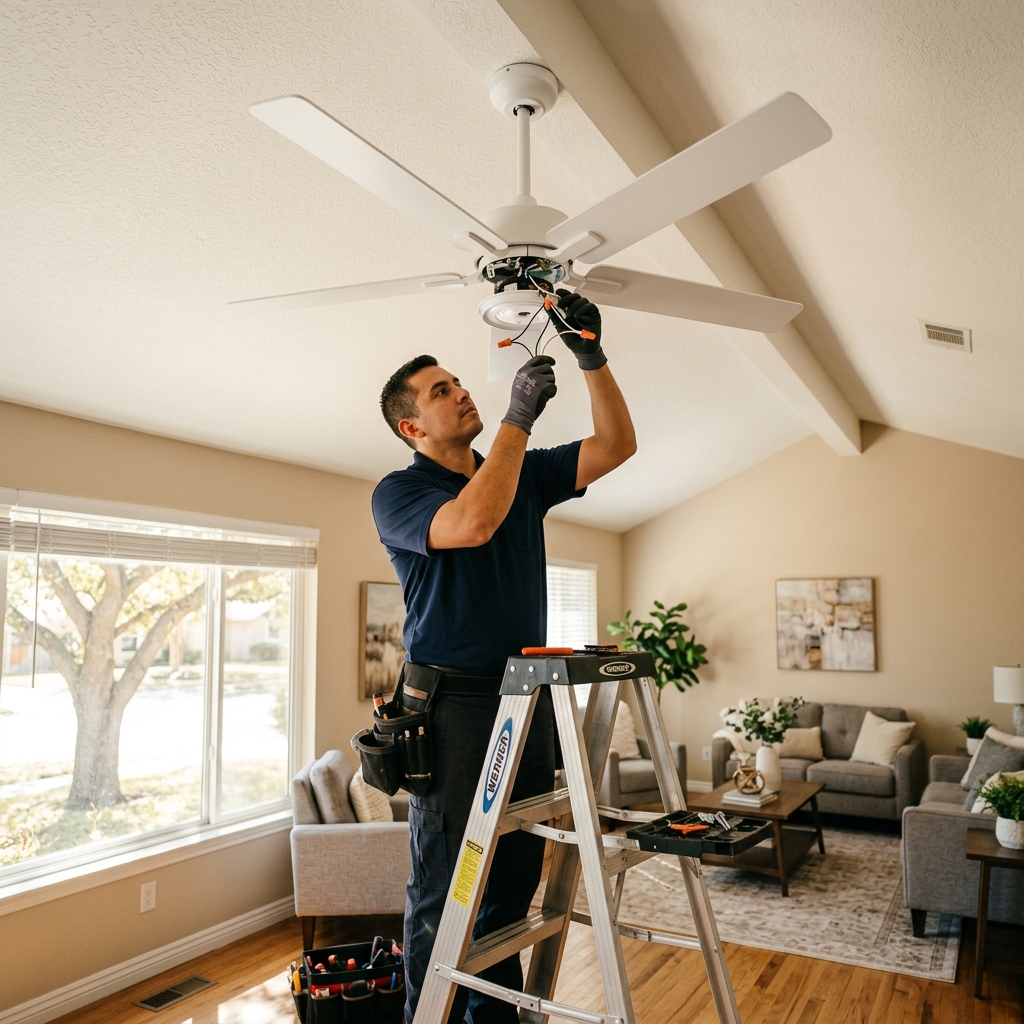
In McAllen, ceiling fans aren’t a luxury — they’re a necessity. South Texas heat runs most of the year. A ceiling fan lowers the load on your AC and keeps air moving through the room [1]. Whether you’re replacing an old fan or adding one where there isn’t one, we handle the full job.
We install ceiling fans across McAllen, Sharyland, Palmhurst, and the Rio Grande Valley. Wiring, mounting, and balancing — all done in one visit. Same-day and next-day scheduling is available. Ceiling fan installation is one of our property maintenance services in McAllen.
What Ceiling Fan Installation Includes in McAllen
A ceiling fan installation covers everything from removing the old fixture to testing the new one. Here’s what the process looks like:
- Turn off power at the breaker
- Remove the old fixture or fan
- Check the electrical box — upgrade to fan-rated if needed
- Assemble the new fan and mount it to the bracket
- Connect the wiring (fan motor, light kit, ground)
- Test all fan speeds and the light kit
- Balance the blades to prevent wobble
Most McAllen installs are replacements — swapping an old fan for a new one. These take one to two hours. If you’re adding a fan where no fixture exists, we run new wiring and install a wall switch. That takes a bit longer.
Why Your Ceiling Fan Wobbles
A wobbling ceiling fan is more than annoying. Over time, it stresses the mounting hardware and can become a safety issue. Here’s what causes it:
- Dust buildup. Fans in McAllen run year-round. Dust collects on the blades unevenly and throws off the balance.
- Loose screws. Blade screws, bracket bolts, and canopy screws can loosen from vibration.
- Warped blades. Heat and humidity in South Texas can warp fan blades over time.
- Wrong electrical box. A standard light fixture box can’t support the weight and motion of a fan. It shifts under load.
- Bad original installation. If the fan wasn’t balanced or mounted properly from the start, wobble follows.
Quick fixes: Clean the blades, tighten every screw, and try a balancing kit. If the wobble continues, the mounting or the fan itself may need replacement. Call us and we’ll check it.
DIY vs. Professional Ceiling Fan Installation
Some ceiling fan installs are straightforward. Others need a professional.
DIY-friendly:
- Replacing a fan with a similar-size unit
- A fan-rated box is already in the ceiling
- Standard 8-foot ceiling height
- You’re comfortable with basic wiring
Call a professional:
- No existing wiring or fixture in the ceiling
- Vaulted or high ceilings (common in newer Sharyland and north McAllen homes)
- No fan-rated electrical box in place
- You need a new wall switch added
- You’re not comfortable working with electrical
Ceiling fans are heavy and involve live wiring. A bad mount can pull free from the ceiling. A bad connection can short. If there’s any doubt, call a pro.
Electrical Box Requirements for Ceiling Fans
Not every electrical box can hold a ceiling fan. The National Electrical Code requires a fan-rated box for any fan installation.
Here’s why it matters:
- A standard fan-rated box supports up to 35 pounds. Heavy-duty boxes handle up to 70 pounds.
- Ceiling fans move. The spinning motion creates force that a light-only box wasn’t built to handle.
- The box must be anchored to a ceiling joist or held by a fan-rated brace bar between joists.
Older McAllen homes with light-only fixtures often don’t have fan-rated boxes. We check the box as part of every install. If it needs upgrading, we swap it before mounting the fan.
How to Maintain Your Ceiling Fan in McAllen
McAllen fans run more hours per year than fans in most cities. That extra run time means more dust, more wear, and more attention needed.
- Clean the blades every few months. Use a microfiber cloth or damp rag. Dust buildup causes wobble.
- Tighten screws once a year. Check blade screws, bracket bolts, and the canopy. Vibration loosens hardware over time.
- Switch blade direction by season. Counterclockwise in summer pushes air down. Clockwise in winter pulls warm air off the ceiling.
- Listen for new sounds. Grinding, clicking, or humming can mean motor wear or a loose part.
- Check bulb compatibility. If your fan has a light kit with a dimmer, make sure the bulbs match. LED dimmers need LED-compatible bulbs to avoid flickering.
Frequently Asked Questions
How do I know when it’s time to replace my ceiling fan?
If it wobbles after tightening and balancing, makes grinding noises, or is over 10 years old with declining performance, it’s time for a new one. Repeated repairs on an old fan usually cost more than a replacement.
Can a ceiling fan be installed where no light fixture exists?
Yes. We run new wiring from a power source, install a fan-rated box, and add a wall switch. This is more involved than a simple swap but it’s a job we handle regularly.
How long does ceiling fan installation take?
A straightforward replacement takes one to two hours. New installations where we run wiring and add a switch take longer. We give you a time estimate before we start.
How can I tell if my ceiling fan was installed correctly?
It should run smoothly on all speeds with no wobble or grinding. The blades should sit at least 7 feet above the floor. If the fan has a light kit, both should work on their own.
What should I have ready before a ceiling fan installation?
Have the new fan on hand and know your ceiling height. If you’re replacing a fan, note how many wires are in the ceiling box. We handle everything else.
[1] U.S. Department of Energy — “Fans for Cooling” – https://www.energy.gov/energysaver/fans-cooling
Need This Service?
Call now for a free estimate. Same-day service available in McAllen.